Data Exchange
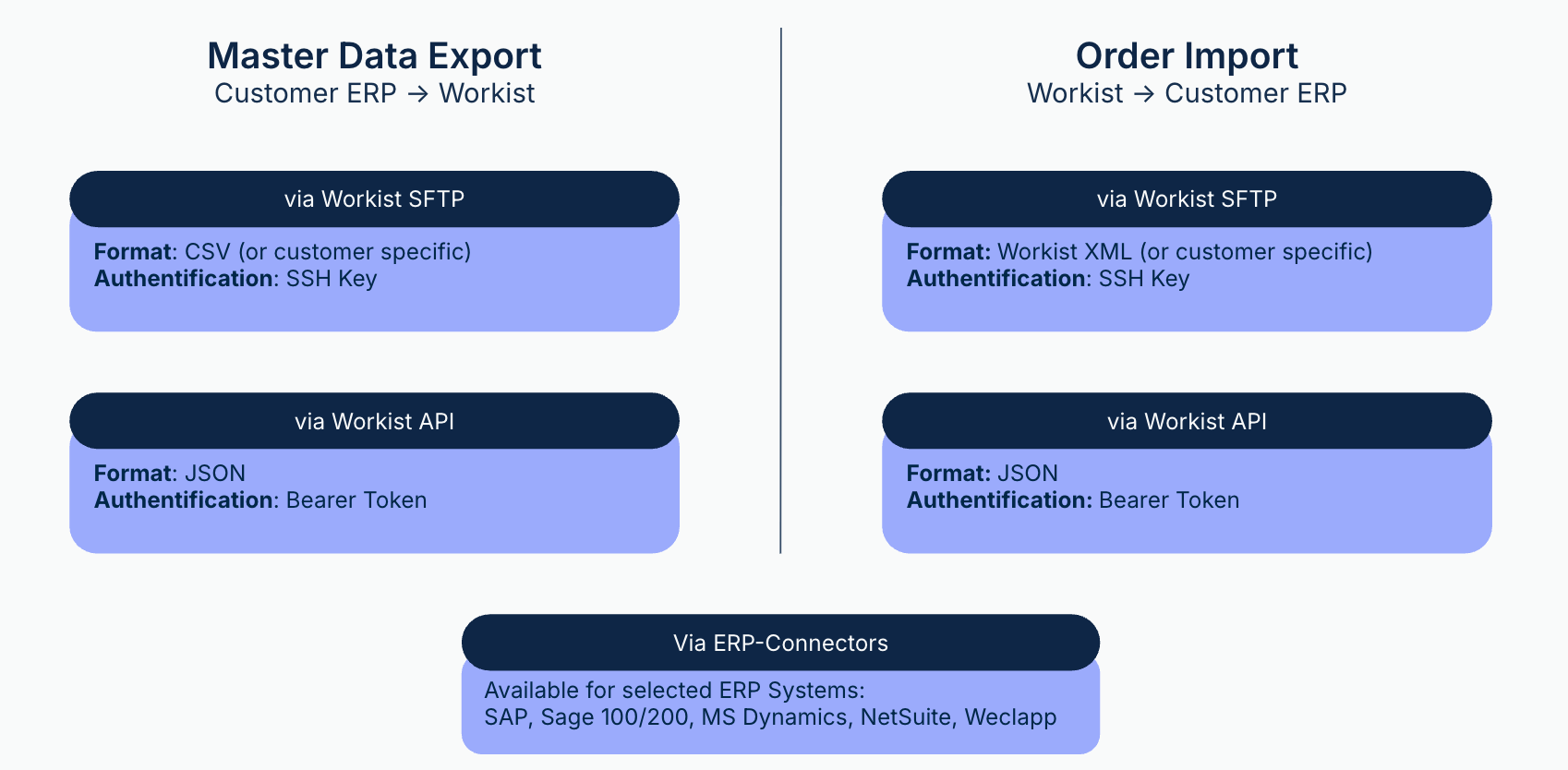
Three kinds of data flow between your systems and Workist: incoming documents, master data and the results of processing. For each direction there are several ways that you can combine, e.g. master data via SFTP and results via API.
Send documents to Workist
- Email: Every channel has its own inbox address. See Incoming documents.
- Outlook add-in: Staff send emails and attachments to a channel straight from Outlook. See Outlook add-in.
- API: Your system uploads files through the Document API.
- Workbench: Users upload files directly in the channel.
Transfer master data to Workist
- SFTP: Your system places files in the
/exportfolder of the Workist SFTP server. - API: Your system sends files or JSON data to the Master Data API.
- Workbench: Users upload files in the Master Data Hub.
- Connectors: Some ERP connectors sync master data automatically.
Transfer results to your system
You set how a channel transfers its results in the channel under Upload: SFTP, AS2, API, ERP integration, manual or another way. New channels transfer via SFTP to the /incoming folder of the Workist server by default.
- SFTP: to the Workist SFTP server or to your own SFTP server.
- AS2: to your AS2 receiver. See Exported processed documents.
- API: Your system pulls the results and reports back whether the import worked.
- Connectors: The results go directly into selected ERP systems. For Sage 100, Business Central and SAP ECC/S/4HANA, an extension is installed in the ERP. You set up all other connectors in the Workbench, without installation in the ERP.
- Webhooks: Workist notifies your system about events, e.g. when a document is finished. Webhooks complement the API.